General Data Access
We strive to make data access as easy as possible for all users. We are closely partnered with the Data and AI (DnA) team to make sure users have data in a single spot following our enterprise architecture. Below are the various ways you can access data from the JEDI Data Platform.
By default, all Milwaukee Tool employees have access to the Universal Data Plaform (UDP) in Databricks to read data. If you require heightened permissions/access to the data, please fill out a servicenow request to the DnA - Enterprise Data assignment group.
Navigating Tool360 Data in Databricks
When you open Databricks, you will be prompted to sign in via SSO.
Upon logging in, you will want to ensure you are in the correct workspace and catalog. Enterprise validated and certified data resides in the Prod EDW catalog within the Core Prod workspace.
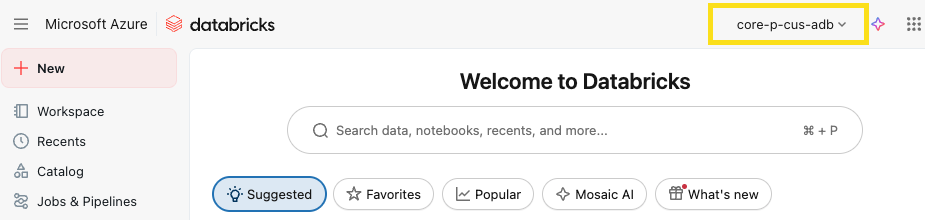
Once in Databricks, ensure your workspace (in the top bar of the website) is core-p-cus-adb.
You can navigate to the Tool360 data in the prod_edw Unity Catalog.
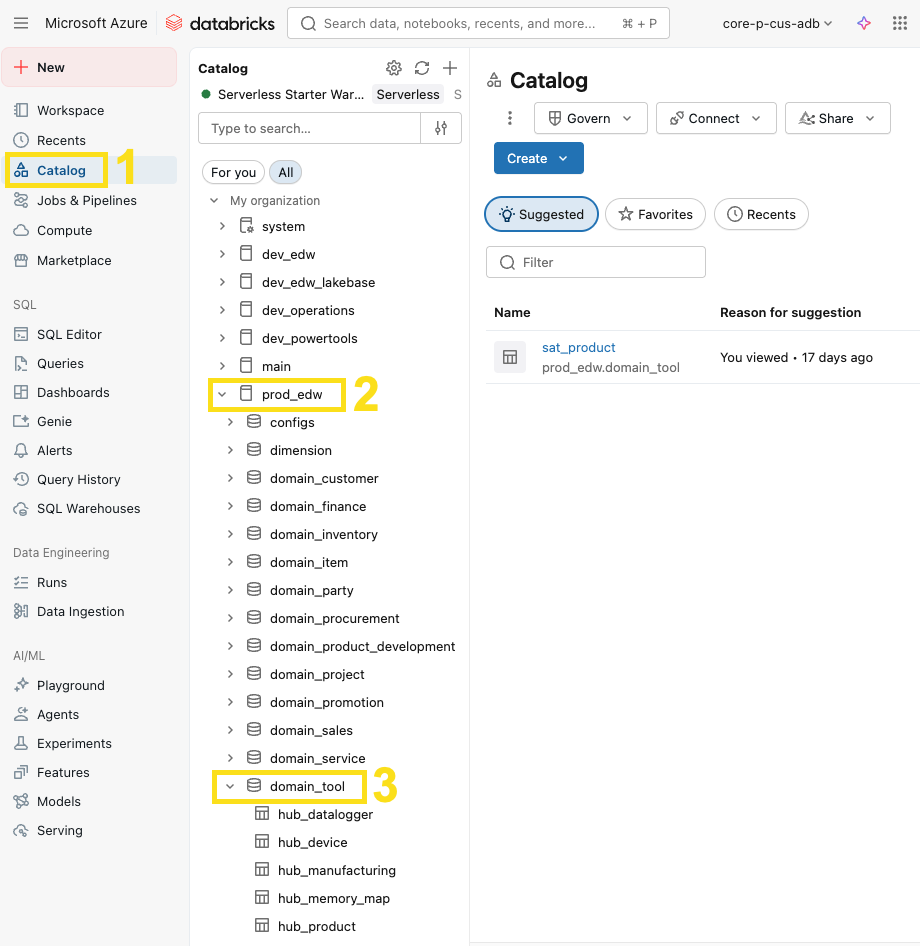
From there you can look at the tables available throughout the various layers of the medallion architecture and see table/column level metadata, understand table lineage, and of course query the data. Tool data specifically can be found in these schemas for the three medallion layers:
| Schema | Layer | Description |
|---|---|---|
staging_aws_tool | Bronze | 1:1 with Jedi's AWS source data in S3. |
domain_tool | Silver | Transformed data from bronze to align to the standard datavault architecture and data quality standards. |
fact & dimension | Gold | Transformed data from silver that is aggregated and denormalized for simplicity. |
For users that are familiar with using the data in AWS Athena we recommend using the new and improved domain_tool tables (silver layer). Please see the corresponding silver table(s) below modeled after our best practice datavault architecture:
| AWS Athena Table(s) | Databricks domain_tool Table(s) |
|---|---|
memory_map, memory_map_definition, memory_map_variable, module | hub_memory_map + sat_memory_map_variable |
memory_map_tool_read, histogram_read, source, diagnostic_client_info, histogram_read_metadata | hub_tool_read + sat_tool_read + sat_tool_read_updates, hub_tool_read_data + sat_tool_read_data + sat_tool_read_data_values |
tool-datalogger-realtime | hub_datalogger + sat_datalogger_realtime |
tool-datalogger_sequential | hub_datalogger + sat_datalogger_sequential |
hydraulic_synchronous | hub_datalogger + sat_hydraulic_synchronous |
manufacturing_records, manufacturing_records_history | hub_manufacturing + sat_manufacturing |
pcba_build_records | hub_device + sat_pcba_build |
firmware_raw_history | lnk_manufacturing_device + sat_firmware_raw_history |
tool-advertsiement-processed | hub_tool_advertisement + sat_tool_advertisement |
product, platform, ble_module | hub_product + sat_product |
Querying Data
Databricks allows you to query data in our tool data lakes using SQL, python, Scala, and R.
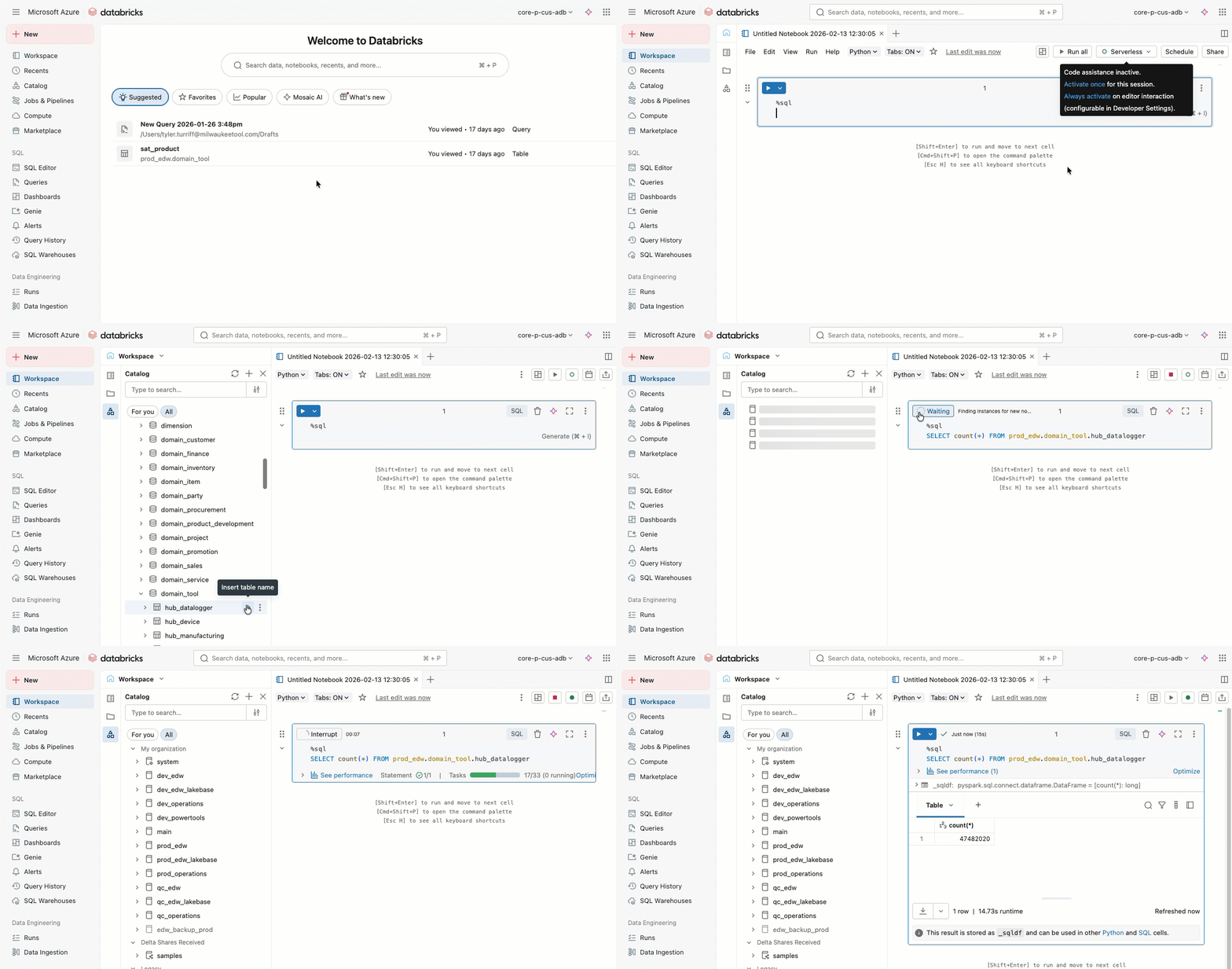
PowerBI Data Access
Select datasets are also available via PowerBI to build reports. These are refreshed nightly and are generally available to all users within DnA's Redlake which is a microsoft data replication built on top of the Databricks data. Users are welcome to build their own reporting solutions off of RedLake.
Data users can work with DnA's dedicated Business Intelligence Engineers to have certified reports built for them, or to get their own self-built reports certified.
DnA Intake
If you are not seeing the data you need, would like BI help with a report, or are interested in a novel product being built by DnA - please checkout our intake wiki so that we can get your priorities scoped for the next PI Planning.
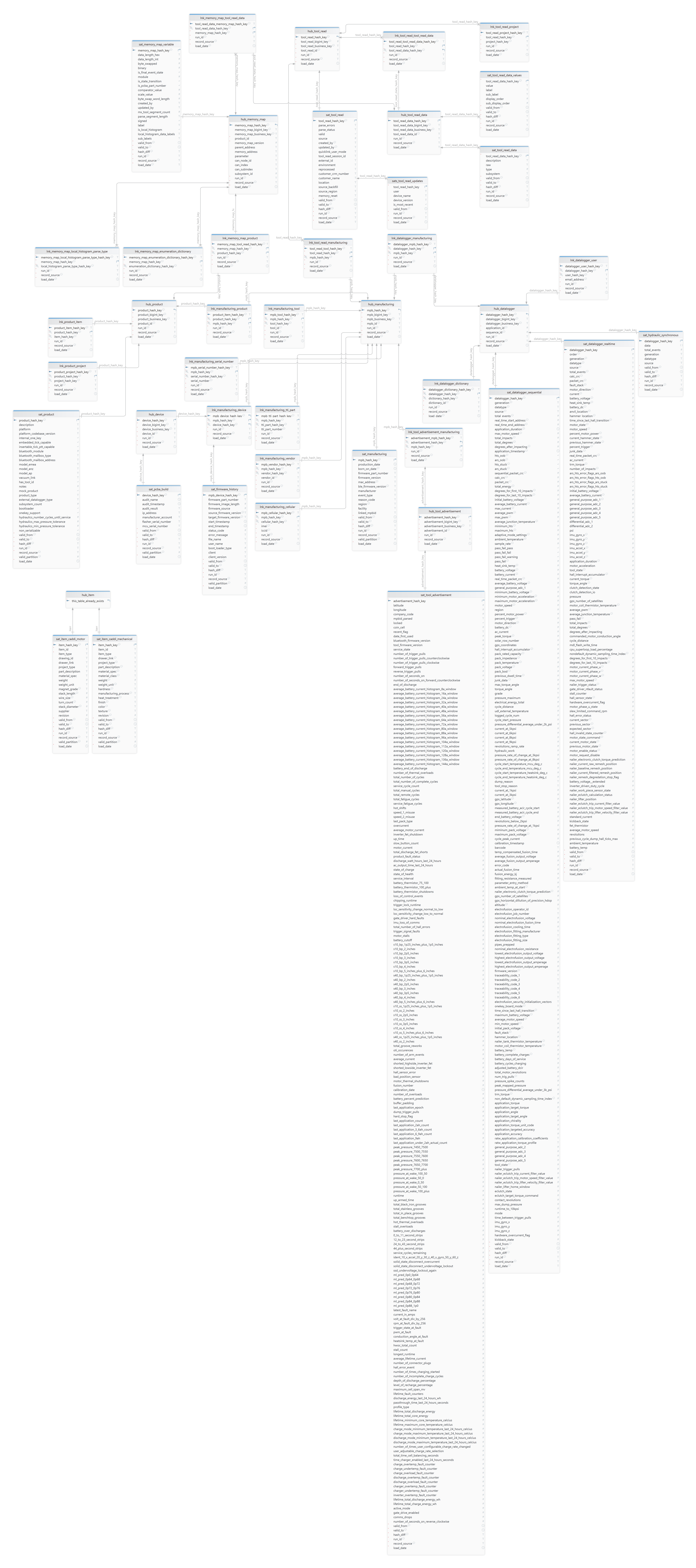
We are consistently adding new data, and this enterprise relationship diagram (ERD) is good visual of what we have thus far.